Repetition using a Questionnaire (Questionnaire)
A Questionnaire (Questionnaire) lets you more precisely determine whether an answer is correct and improve memorization efficiency.
You can enable one of the modes of the Questionnaire by entering a code of the command 991 or 992 on the interval keyboard, or by selecting it from the drop-down list (click the red arrow 🔻 on the display) and then clicking the button  "Ok".
"Ok".
Modes 991 and 992
Functionally, the questionnaires in the modes 991 and 992 are identical. They differ in appearance.
In the mode 991 the Questionnaire (Questionnaire) has a more visual appearance — for those who are just starting to work with the questionnaire.
In the mode 992 the Questionnaire (Questionnaire) has a compact view (it has no screen) — for experienced users.
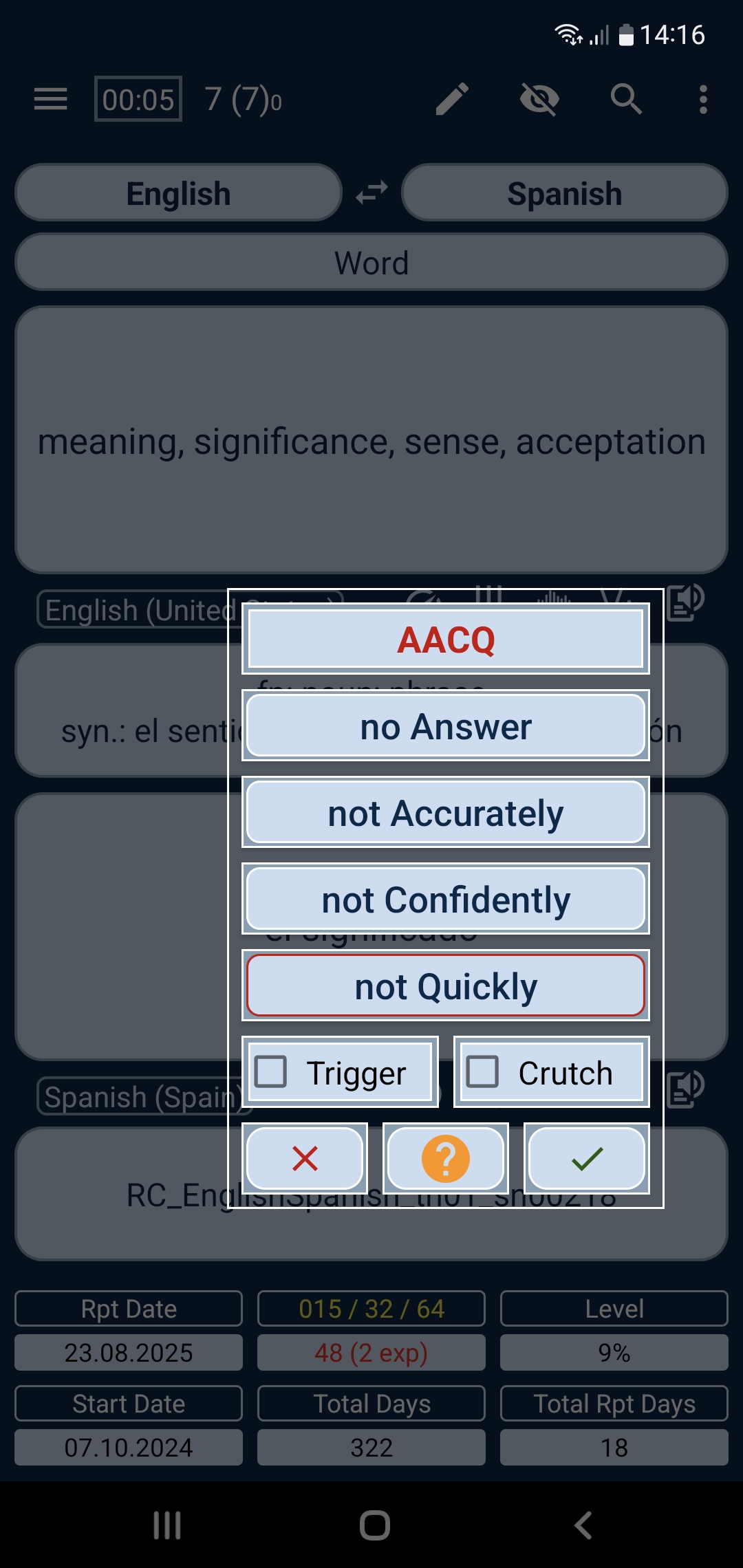
991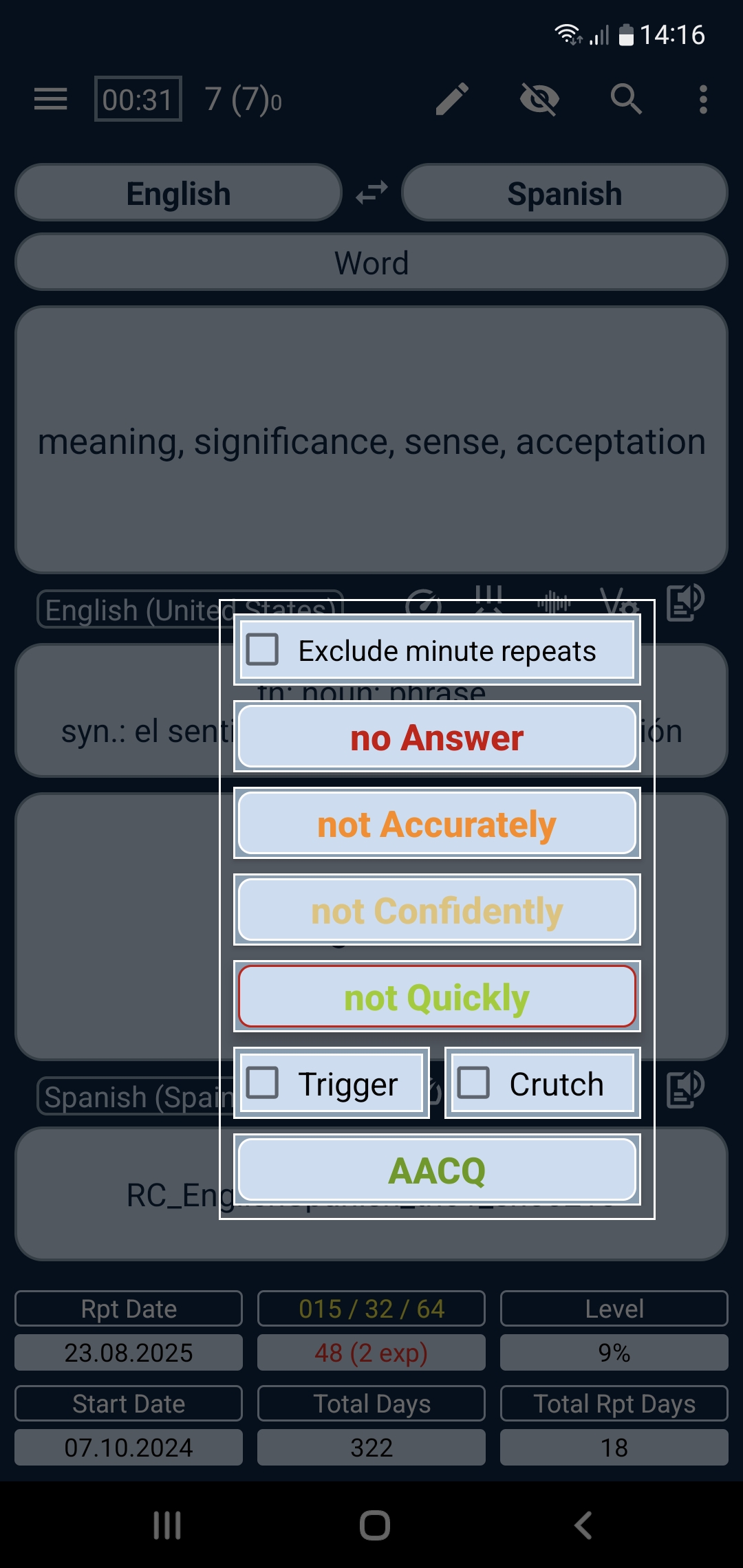
992How the Questionnaire (Questionnaire) works in the mode 991
Let's look at how the Questionnaire (Questionnaire) works in the mode of 991.
Now, when reviewing material, after you give your answer and open the curtain — regardless of whether your answer was correct or not — always click the right button on the pop-up button Bar.
Trigger and Crutch
Before we examine the main function buttons of the Questionnaire (Questionnaire), let's clarify the purpose of the two checkbox fields: the Trigger (Trigger) and the Crutch (Crutch) .
The Trigger (Trigger) and the Crutch (Crutch) are, in general terms "prompts" that assist you recall the correct answer.
The key difference is that the Crutch (Crutch) is an obvious hint implied in the question (in the field #3) or in the synonyms (in the field #7). These are usually cognate words or words that sound similar.
Text in the box below will look correct when translated into other languages.
For example, if you know the word ruth - "pity", then you will easily memorize ruthless - "ruthless" if you know, that -less is a suffix meaning "the absence of what precedes it in the root." In this case you will remember the word ruthless with the help of the "Crutch" ruth and using the suffix rule.
Of course, if you didn't previously know the meaning of ruth, you'll have to memorize this word through additional reviews — even with associative memorization — because the association itself also has to be memorized.
The Trigger (Trigger) is a hint stored in your memory when you memorize a new word by means of your own interpretation (association), your personal mnemonic.
That said, many words are memorized without a "trigger" — thanks to our brain's natural ability to retain information through regular review.
Accordingly, if you recalled a word without the Trigger (Trigger) or without the Crutch (Crutch), do not check those boxes.
AACQ and other meanings of your answers
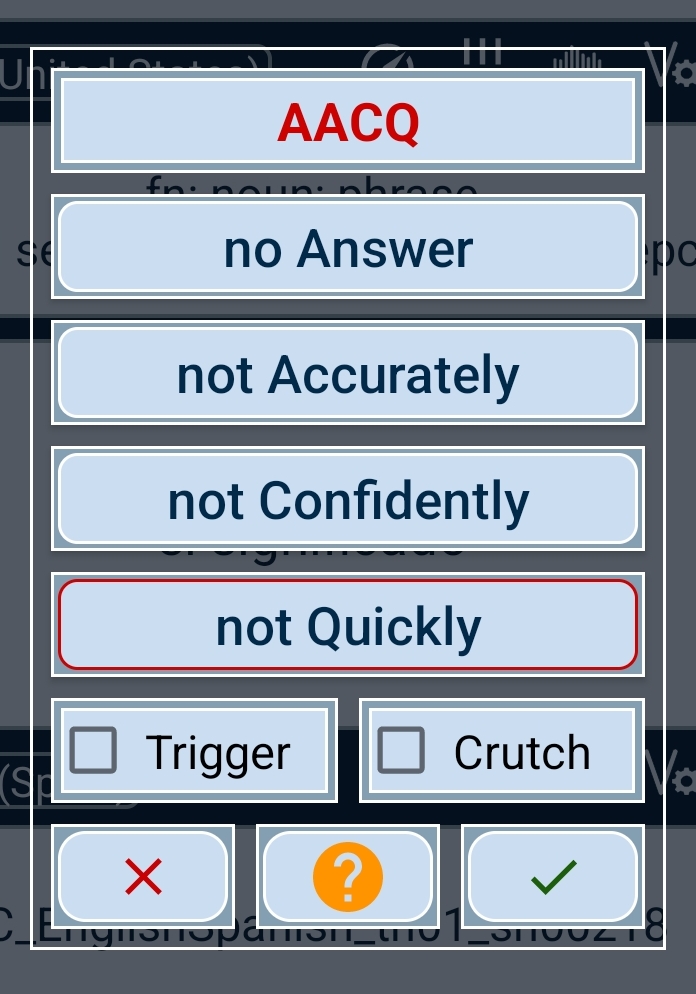
By default, the Questionnaire display shows in red uppercase letters the abbreviation AACQ - Answer Accurately Confidently Quickly (an Answer Accurately Confidently Quickly).
If you gave the correct answer and you understand that it was accurate (stress, pronunciation), confident, and quick — press the button "Ok". Before that, don't forget to check the box of the Trigger (Trigger) or the Crutch (Crutch), if you used them.
The Questionnaire will close and you will move to the next page.
If you answered incorrectly or don't know the answer — click the button "no Answer" (no Answer). The screen of the Questionnaire (Questionnaire) will show A-ACQ.
If you answered quickly (before the curtain timer dropped below 3) but your answer was inaccurate — for example, wrong stress or pronunciation — click the button "not Accurately" (not Accurately). The screen will show AA-CQ.
If you answered quickly and accurately but felt some doubt or guessed — click the button "not Confidently" (not Confidently). The screen will show AAC-Q.
If you answered accurately and confidently but you clicked the curtain when the timer showed a value below 3 — click the button "not Quickly" (not Quickly). The screen will show AACQ-.
But if you answered accurately and confidently yet took a long time to recall (the timer showed 0 or finished counting down), you should click the button "no Answer" (no Answer), because the likelihood increases that next time you won't recall the correct answer.
In all the above situations, before clicking the button "Ok", don't forget to check the box of the Trigger (Trigger) or the Crutch (Crutch), if you used them.
Questionnaire notes log at the Page of Repetition (Repeat Page)
When you use the Questionnaire (Questionnaire) in repetition your responses are recorded in the log of the questionnaire notes. You can see it by scrolling the page of the repetition (Repeat Page) down.
Additional repetitions
Also, depending on your answer and the review interval, the program will create pages for additional repeat. If you see in the set an asterisk * before the title in field #2 — for example, English - * Spanish and in field #6 the tag add_rep, it indicates an additional repeat.
These pages are deleted automatically when the Repeat Today section is updating (Repeat Page).
Minute repetitions
Minute repetitions are handled in the usual way — click the left button if you do not know answer - (not Know) or click the right button if you know answer (Know).
Complete example
How the command behaves in practice
- Command
991turns the full Questionnaire mode on and off. - If the compact questionnaire is enabled (
992), it is automatically switched off when991is turned on. - If a Flipping pages mode is active (
990), it is cancelled before991takes over. - While repeating, on a page in normal flow, a
991session replaces immediate interval calculation: after the field is revealed, the app shows the questionnaire for one page of the current card and applies interval changes only after your answer choice.